 mola
Crazy Plane Landing
 CrazyGames / Crazy Plane Landing
- PLAY ON
- Computer, phone and tablet browsers
- THE PACE
- One flight at a time
- GETTING IN
- Open the browser game on CrazyGames
- COST
- Free browser play; platform advertising
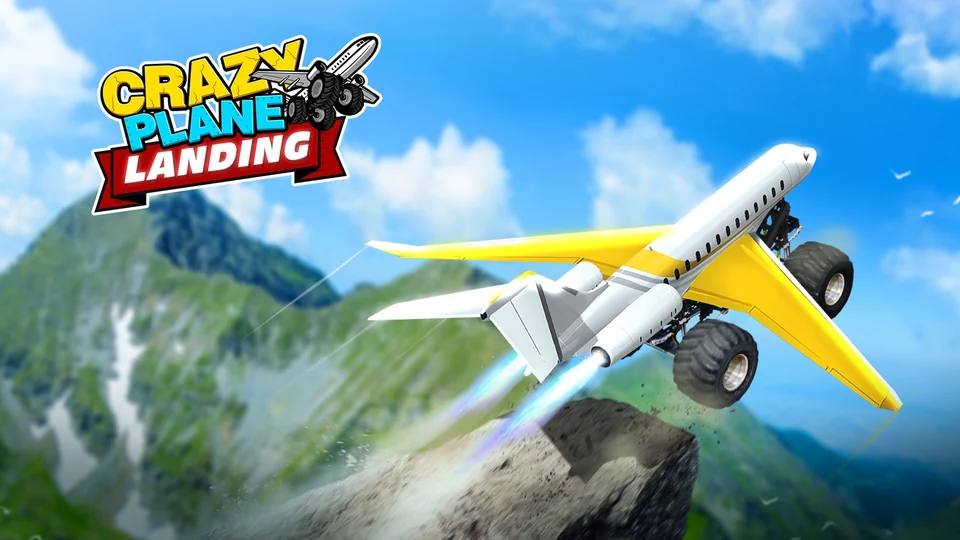
The runway is the starting line. You send an aircraft into the air, adjust its path and try to reach a landing area, with the awkward moment between flying confidently and coming down neatly doing most of the work.
Leave room for the landing
Height can be a distraction. Once the aircraft leaves the ground, look beyond the immediate thrill of climbing and decide which direction you need to travel so that the landing area stays part of the plan.
Small corrections are easier to read. Try releasing a steering input briefly after adjusting your direction, because holding it while judging the result makes it harder to separate the aircraft's movement from the correction you just added.
Make the next attempt a comparison
Change one thing between flights. If the last attempt went past the landing area, think about when you eased acceleration rather than immediately choosing another aircraft and turning the next run into a completely different experiment.
The crash is useful feedback. Ask whether the approach was too late, too wide or simply pointed at the wrong place, and give yourself one clear question to answer when you start the next flight.
Upgrades don't replace a readable route
Know what you want to improve. Before spending the points the game awards, decide whether your problem is reaching the destination or controlling the approach, then read the offered upgrade rather than buying whichever option looks busiest.
Stop when the attempts blur together. If you keep making the same hurried correction without noticing why, a short pause can be more useful than another flight that repeats the previous mistake at exactly the same point.
Know your buttons.
- Space / W / ↑
- Accelerate
- A / D or ← / →
- Steer
- Mouse or touch
- Use the displayed flight controls
A little picture helps.
The easy mistakes.
Watching the aircraft, missing the destination
Give the marker a glance too. Following only the plane makes the approach feel sudden, while checking where you need to land gives you time to choose a direction before the final correction becomes a panic move.
Buying a change before understanding the miss
Keep one familiar setup briefly. An upgrade can change the feel of the next run, so first identify what went wrong on the previous approach and you will have something useful to compare after buying it.
Worth your break?
We'd choose this for repeated little experiments. The appeal is spotting one mistake in a failed approach and changing that part on the next flight, rather than learning a cockpit full of instruments before anything happens.
You might love it if…
A messy attempt needn't spoil the break. If you enjoy restarting with a specific idea in mind, this gives you a clear problem to work on without the longer route planning of a full flight simulator.
Here’s the catch.
Expect a few rough arrivals. The platform lists simple controls and aircraft upgrades, but that doesn't mean the landing will feel effortless, especially if you keep changing speed and direction together when the ground gets close.
Before you jump in.
01Is this a realistic flight simulator?+
Treat it as an arcade flying challenge. The point is handling take-off and landing with a small set of inputs, so it is a better fit for quick attempts than for learning real aircraft procedures.
02Can I use a phone?+
CrazyGames lists mobile browser support. The page includes computers, phones and tablets, although the control arrangement and how comfortably you can judge an approach will depend on the device and screen you choose to use.
03Where does the game actually run?+
The Source link opens CrazyGames. MolaVento supplies this guide, while the game, any advertising and the platform's own settings appear on that external site under its terms when you choose to start a flight.